See Reply1 for Leagues
Real screens from the league office on the web and the app in your pocket: setup, scheduling, scores, fees, messages and rainouts.
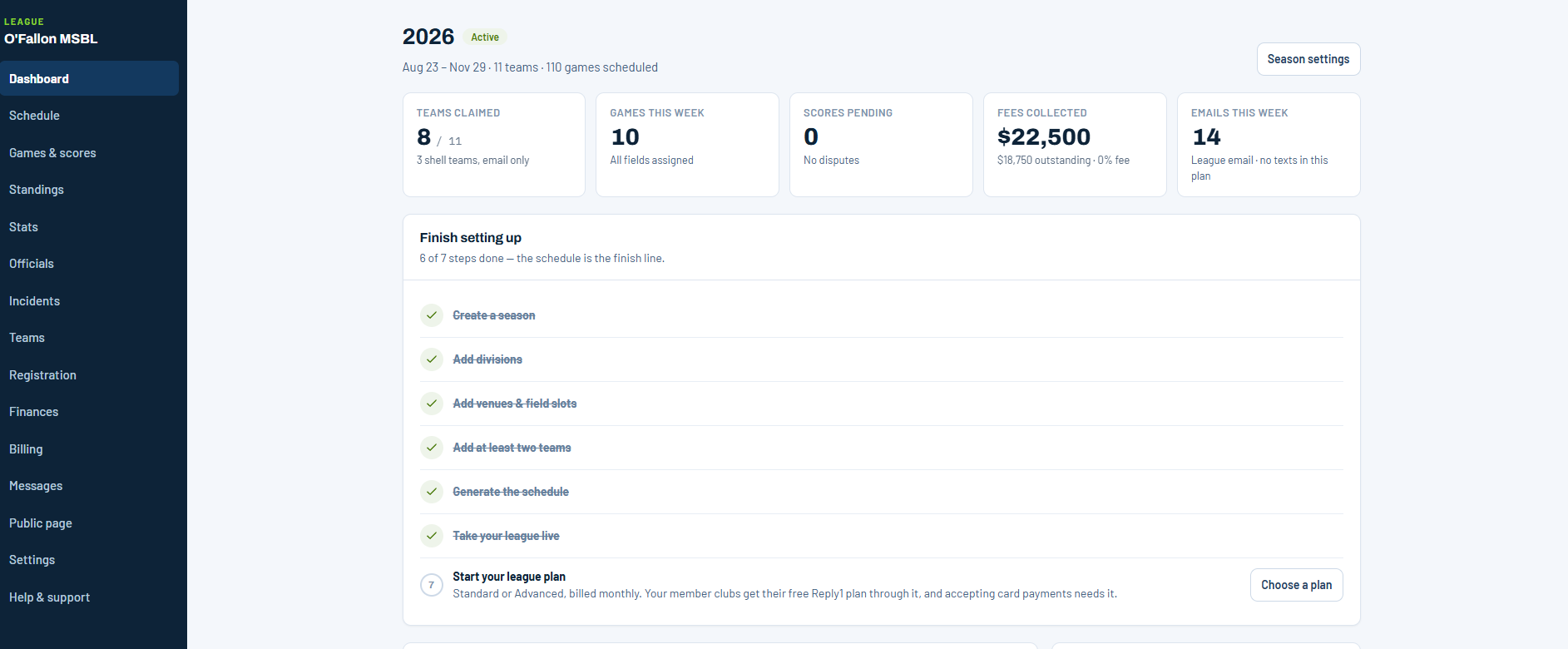
Dashboard
Seven steps from sign-up to a live league
The dashboard walks a new league through setup in order and then becomes the place you check each morning: what is scheduled, what is unpaid, and what needs you.
- Create a season, add divisions, venues and teams, generate the schedule, go live.
- Tiles for teams claimed, games this week, scores pending and fees collected.
- A Needs you list, sorted by what breaks a game day soonest.
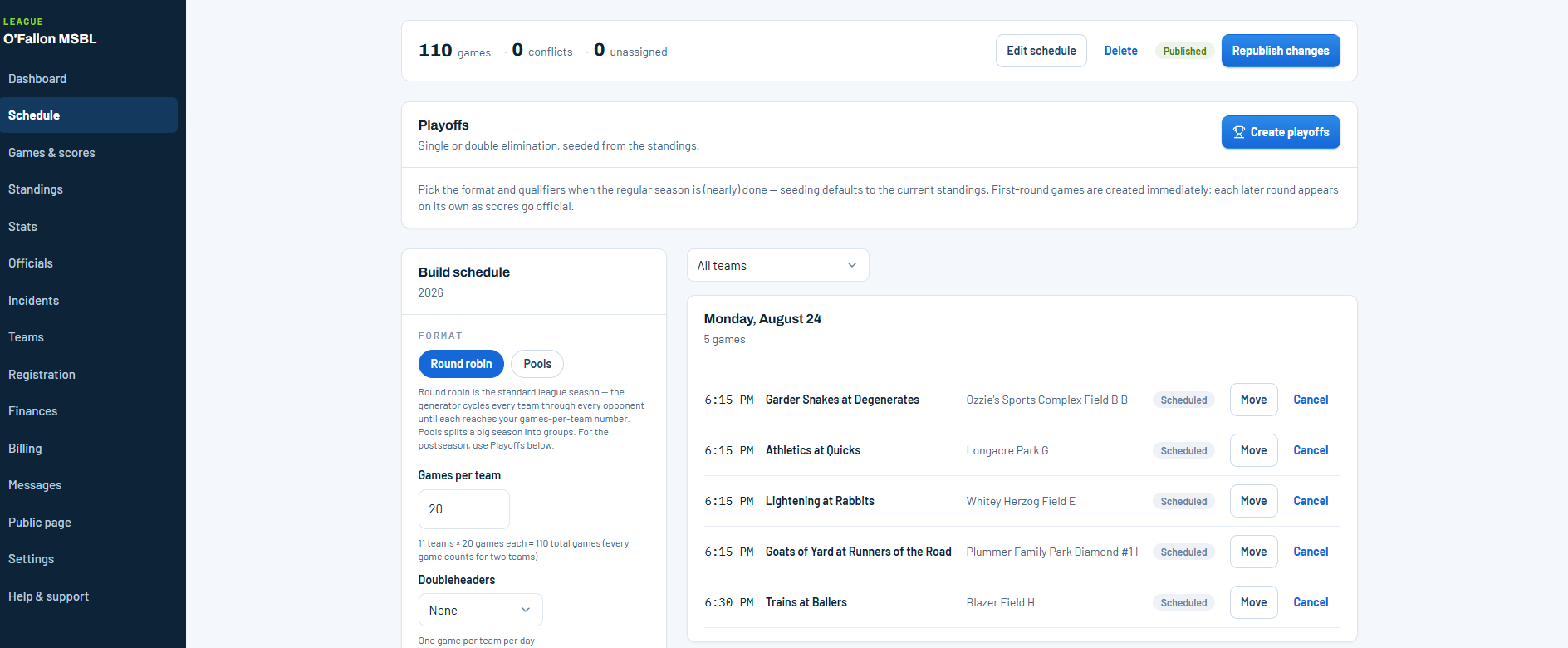
Schedule
Generate the season, then move one game
Pick round robin or pools, set games per team and your constraints, and Reply1 builds the season onto your fields. When the weather has other ideas, move or cancel a single game.
- Conflicts and unassigned games are counted at the top.
- Move or cancel any game, then republish the changes.
- Playoffs are seeded from the standings, single or double elimination.
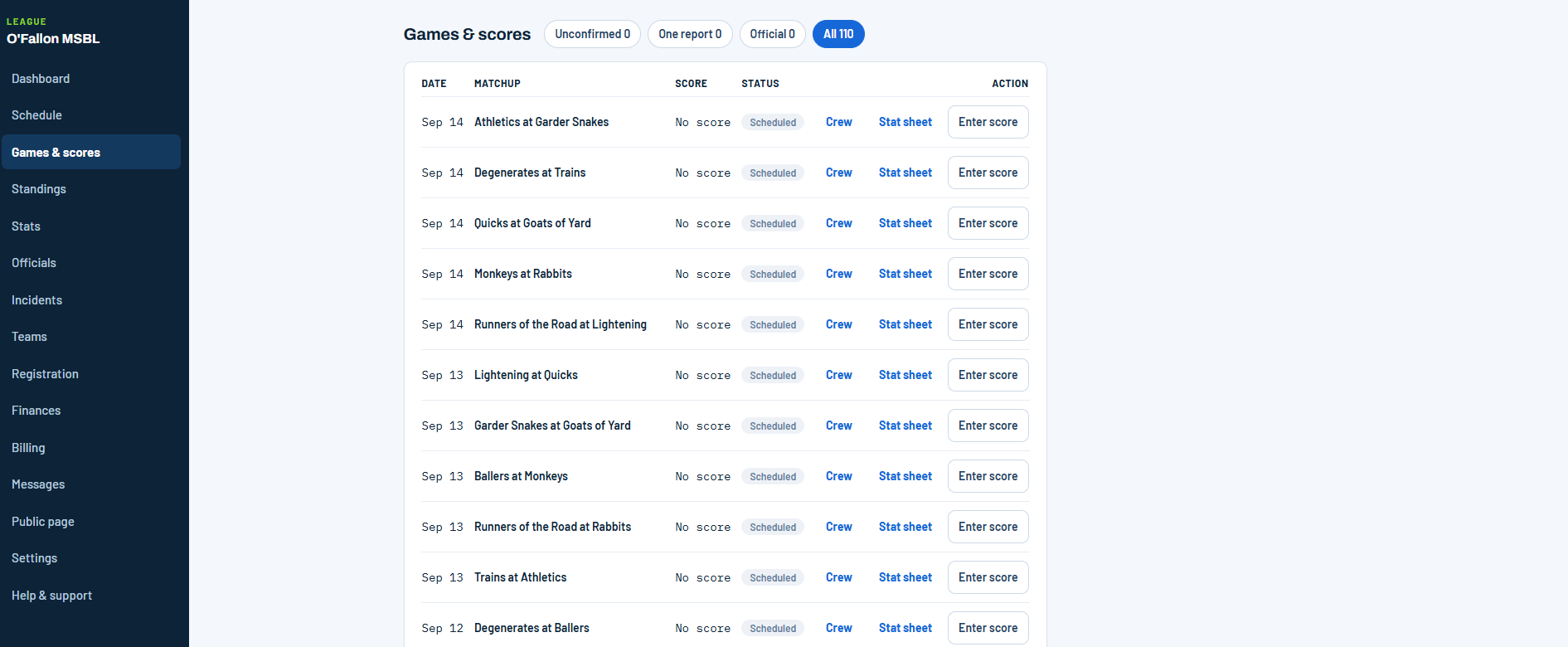
Games & scores
Every score, and who still owes you one
Both teams report, and a game becomes official when they agree. The filters show what is unconfirmed or has only one report, so nothing sits unsettled.
- Unconfirmed, One report, Official: one tap each.
- Assign the crew and open the stat sheet from the same row.
- Enter a score yourself when you need to.
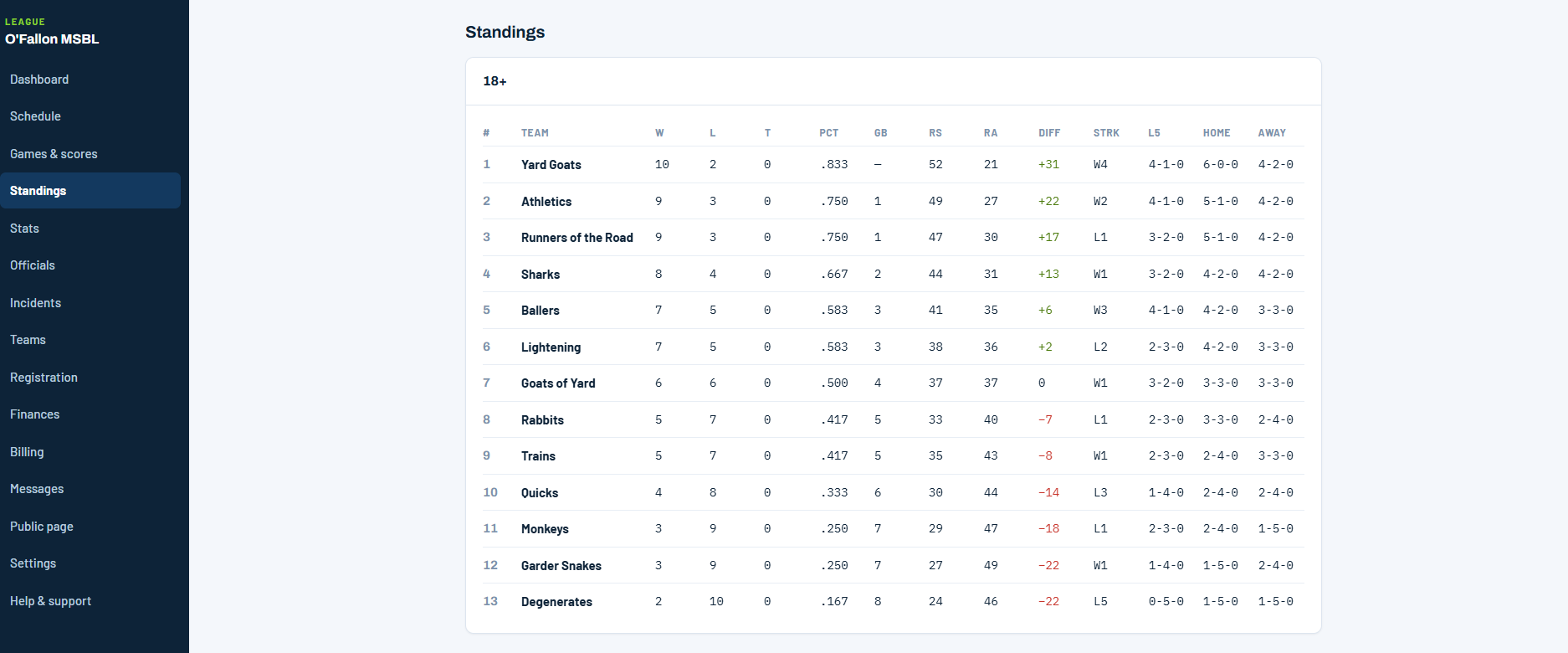
Standings
Standings that keep themselves
Once a score is official the table moves on its own: percentage, games back, run differential, streak, last five, and home and away splits.
- One table per division.
- Run differential in green and red, so a race reads at a glance.
- The same table appears on the league's public site and in the app.
Finances
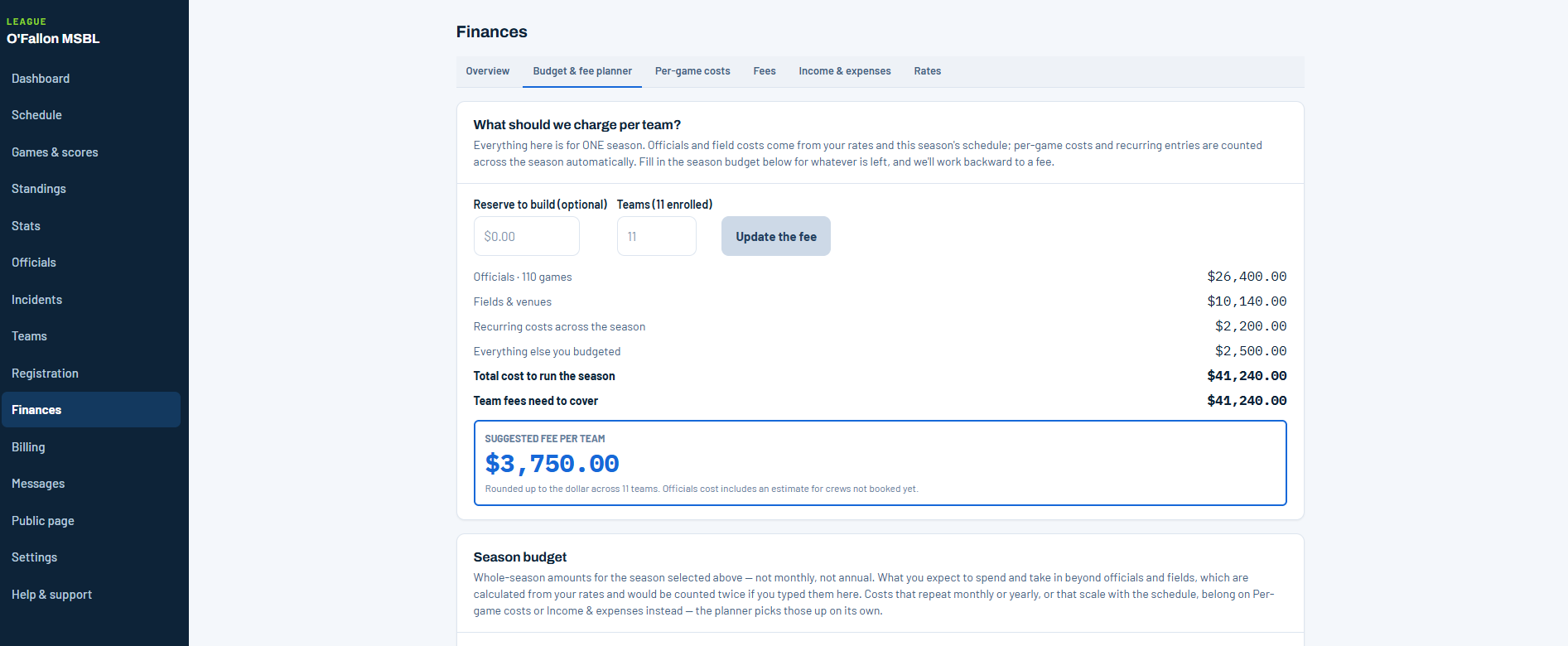
What should we charge per team?
Officials and field costs come from your rates and this season's schedule. Add the rest of the budget and Reply1 works backward to a fee per team.
- Officials and field costs calculated from the schedule.
- A suggested fee per team, rounded up to the dollar.
- Per-game costs, fees, income and expenses, and an export for the accountant.
Messages
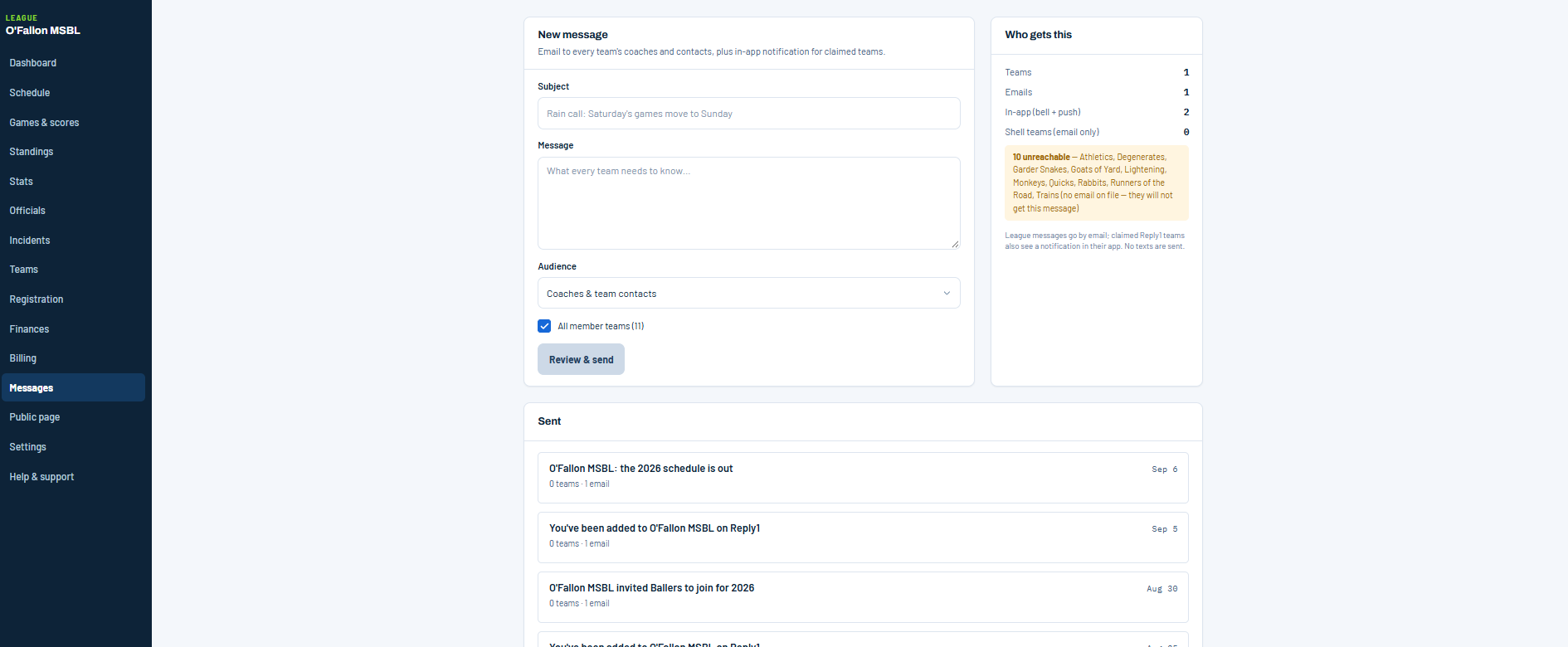
Tell every team at once, and see who won't hear it
League messages go to every team's coaches and contacts by email, with an in-app notification for teams on Reply1. Before you send, the panel tells you which teams have no email on file.
- Who gets this: teams, emails and in-app notifications, counted.
- Unreachable teams are named before you send.
- Every sent message is kept below.
Your league
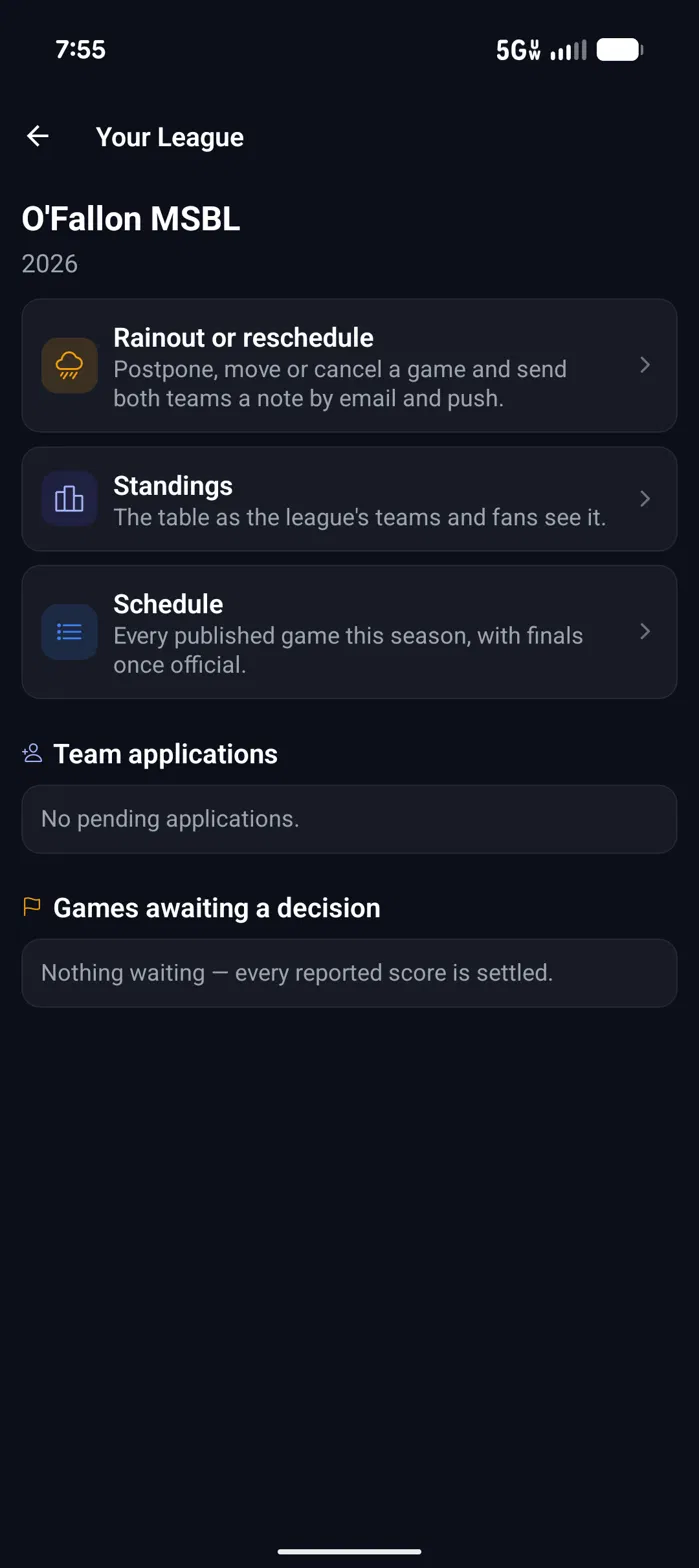
Run the league from your phone
The league screen puts the three things an operator reaches for at the top, and the two queues that need a decision underneath.
- Rainout or reschedule: postpone, move or cancel a game and send both teams a note by email and push.
- Team applications waiting for approval.
- Games awaiting a decision, so every reported score gets settled.
Standings
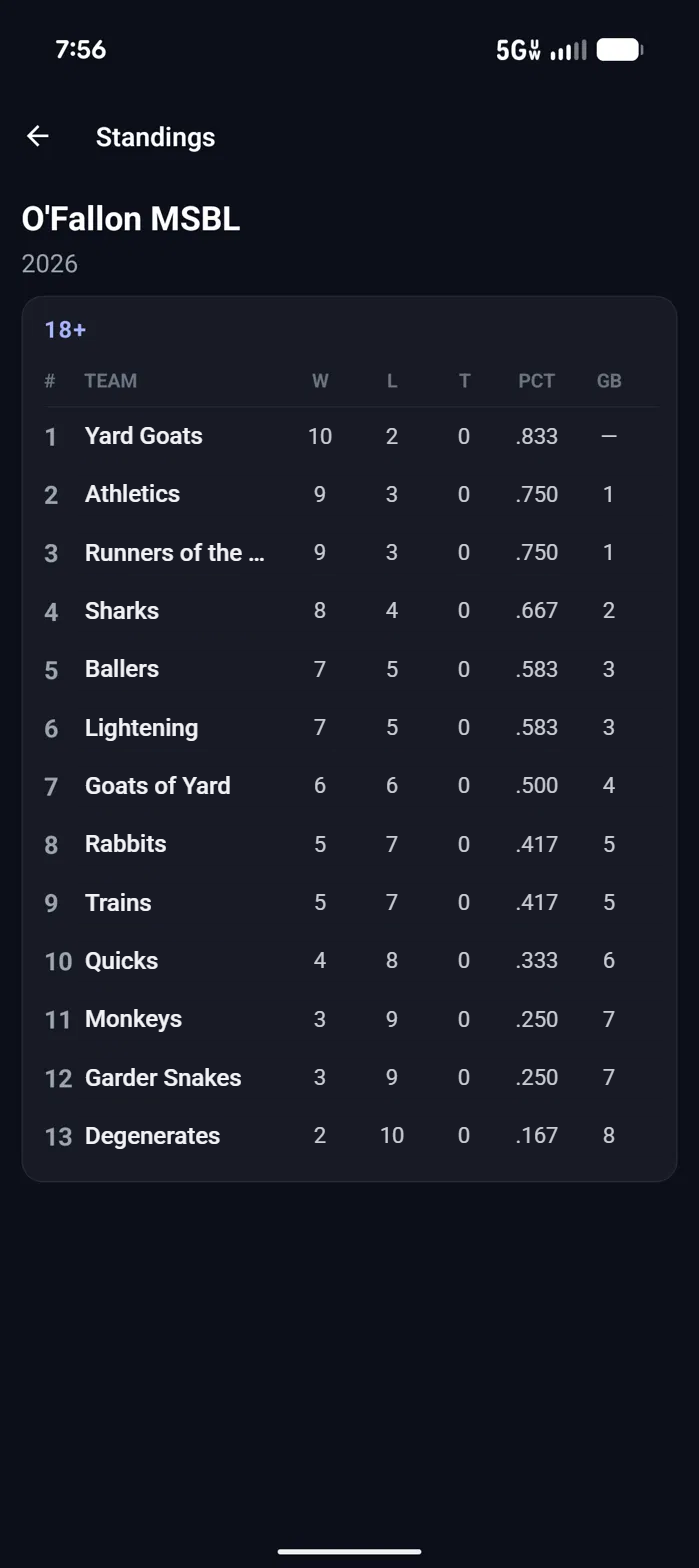
The table your teams and fans see
Standings are kept per division and update from the scores your teams report. What you see here is what the league's teams and fans see.
- Wins, losses, ties, percentage and games back.
- One table per division.
- The season's published schedule sits beside it, with finals once official.
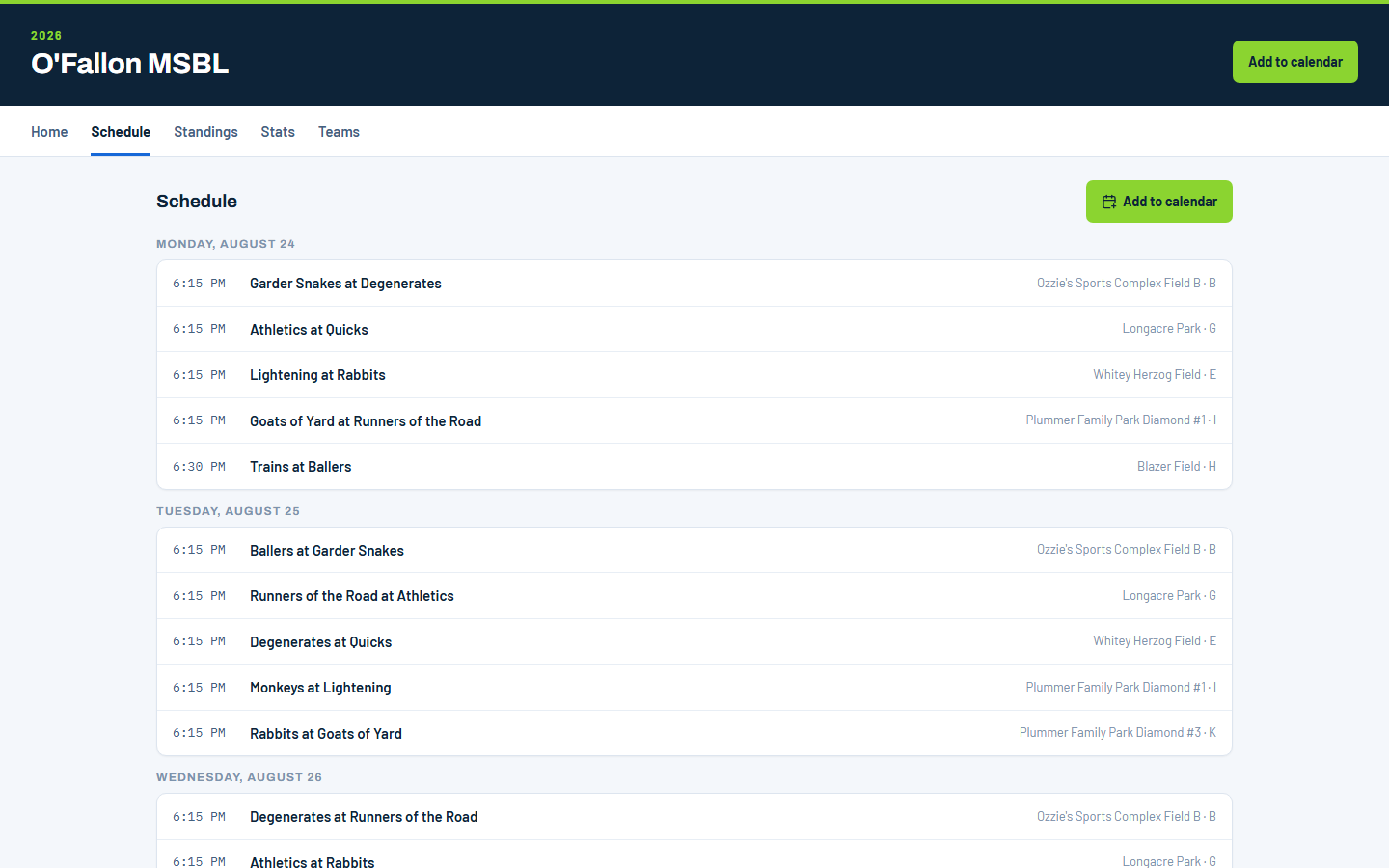
Your league's website
A public site, without building one
Every league on Reply1 gets a public page anyone can open without an account. Publish the schedule once and players, families and fans all see the same thing.
- Schedule by day, with the time, matchup and field for every game.
- Standings, stats and teams are a tab away.
- Add to calendar puts the season on anyone's phone.
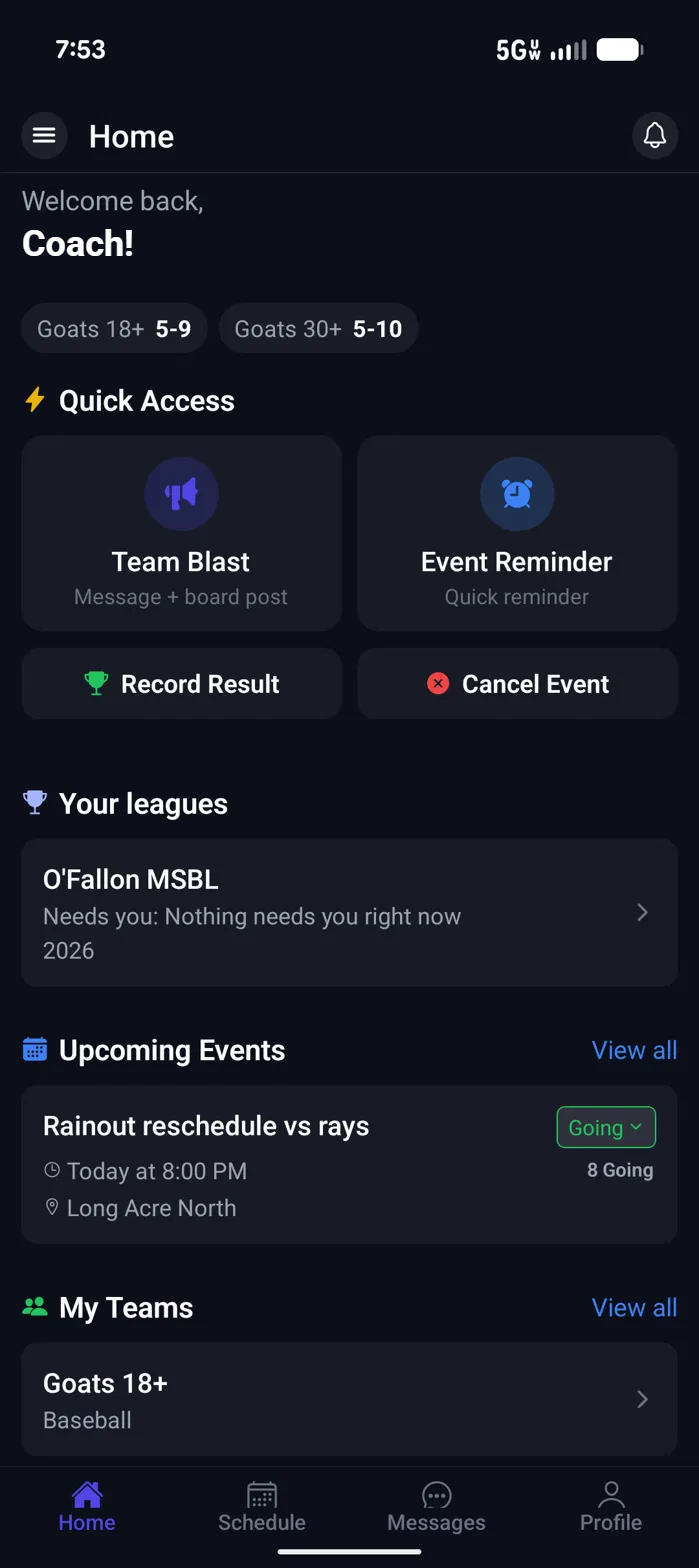
One app
Your league lives beside your team
Operators who also coach do not switch apps. The league shows up on the home screen and tells you whether anything needs you.
- "Needs you" says what is waiting, or that nothing is.
- Record a result or cancel a game from the same screen.
- Member clubs use the same app for their own team.
Want to see what your coaches and players get? Tour the team app.
These are real screens from Reply1 on the web and in the app for iPhone and Android. People's names have been changed, and the league's records, counts and dollar amounts are example data.
Put your season on Reply1
Create your league account, add your teams, and generate the schedule.