The Reply1 App
Real screens from the app your team will use. Schedule, RSVPs, reminders and team chat, on iPhone and Android.
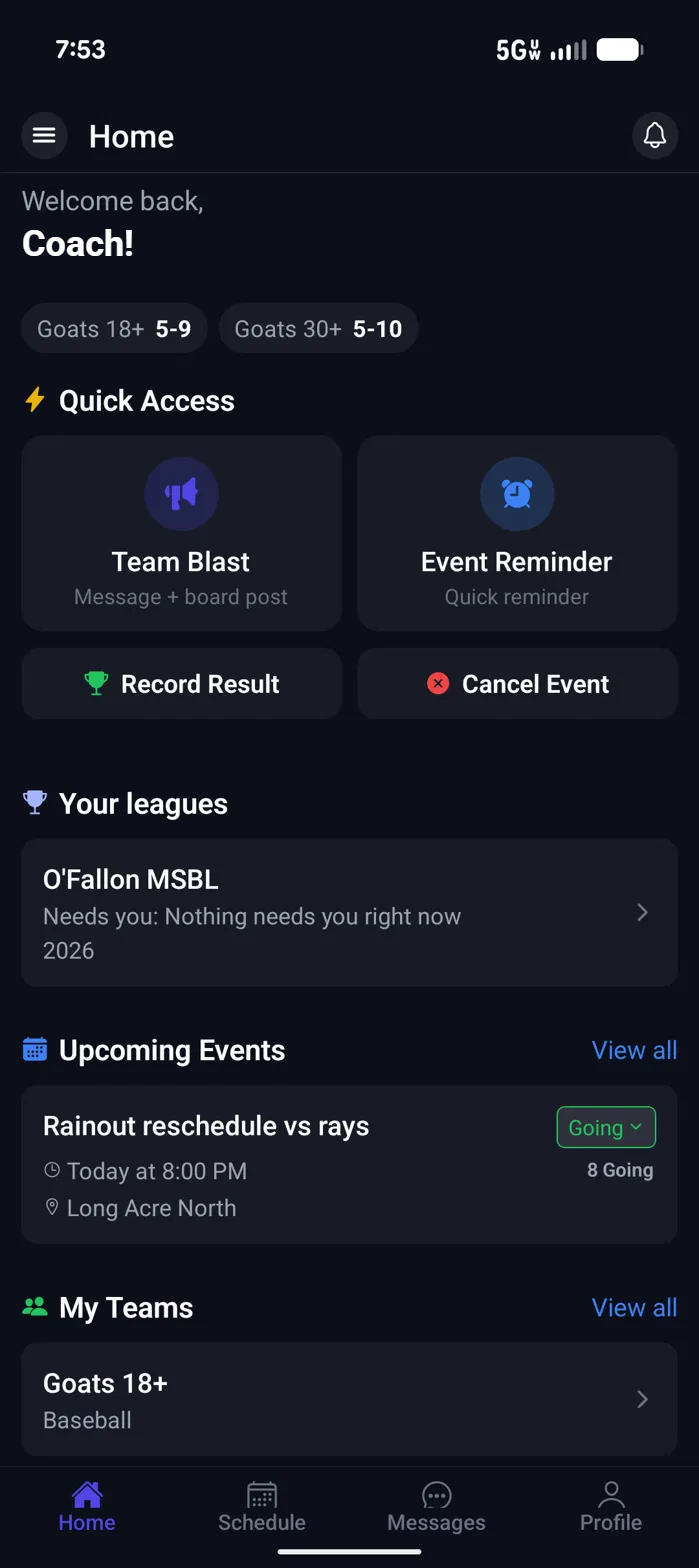
Home
Today, on one screen
Open the app and the next thing you need is already there: tonight's game, your RSVP, and the four things coaches do most.
- Quick actions: Team Blast, Event Reminder, Record Result, Cancel Event.
- Each team's record sits at the top.
- The next event shows where, when, how many are going, and your own answer.
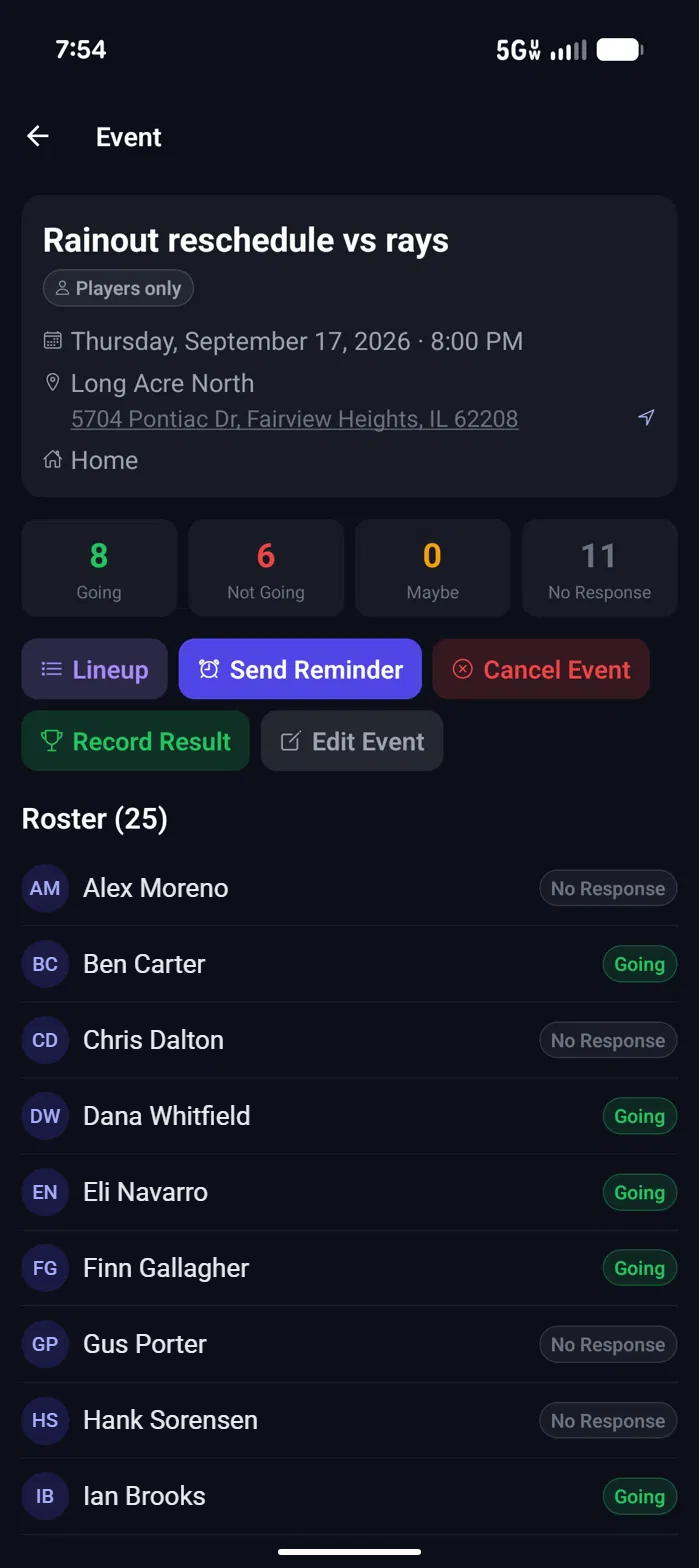
Game day
Know who's coming
Every event shows the count at a glance and each player's answer underneath, so you are not scrolling a group text to build a headcount.
- Going, Not Going, Maybe and No Response, counted for you.
- Tap the address for directions.
- Lineup, reminder, result, edit and cancel are one tap from the event.
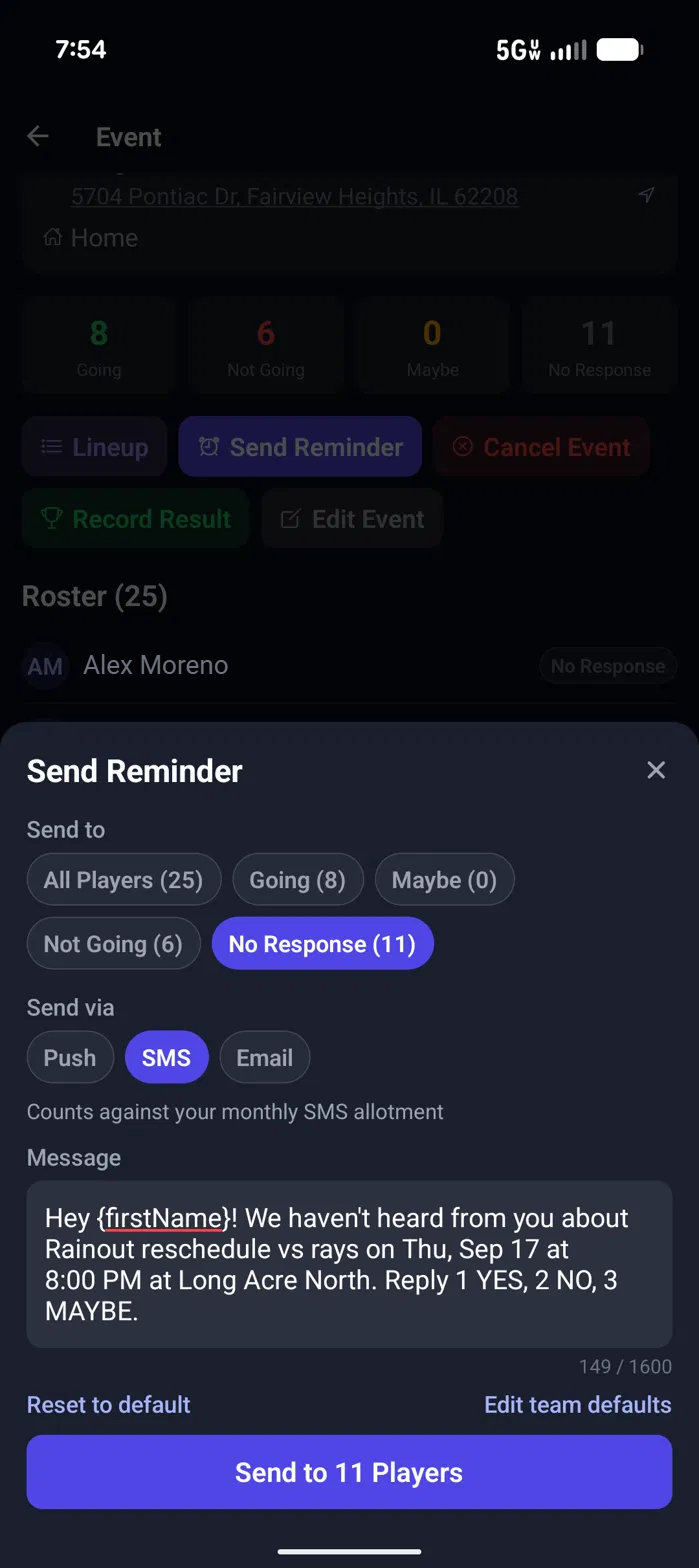
Reminders
Nudge only the people who haven't answered
Pick who gets the reminder and how it goes out. The message is written for you and you can change it before you send.
- Send to everyone or just Going, Maybe, Not Going or No Response.
- Push, SMS or email. SMS is on For Teams and For Programs; Starter sends push and email.
- Players reply 1, 2 or 3 to a text to RSVP.
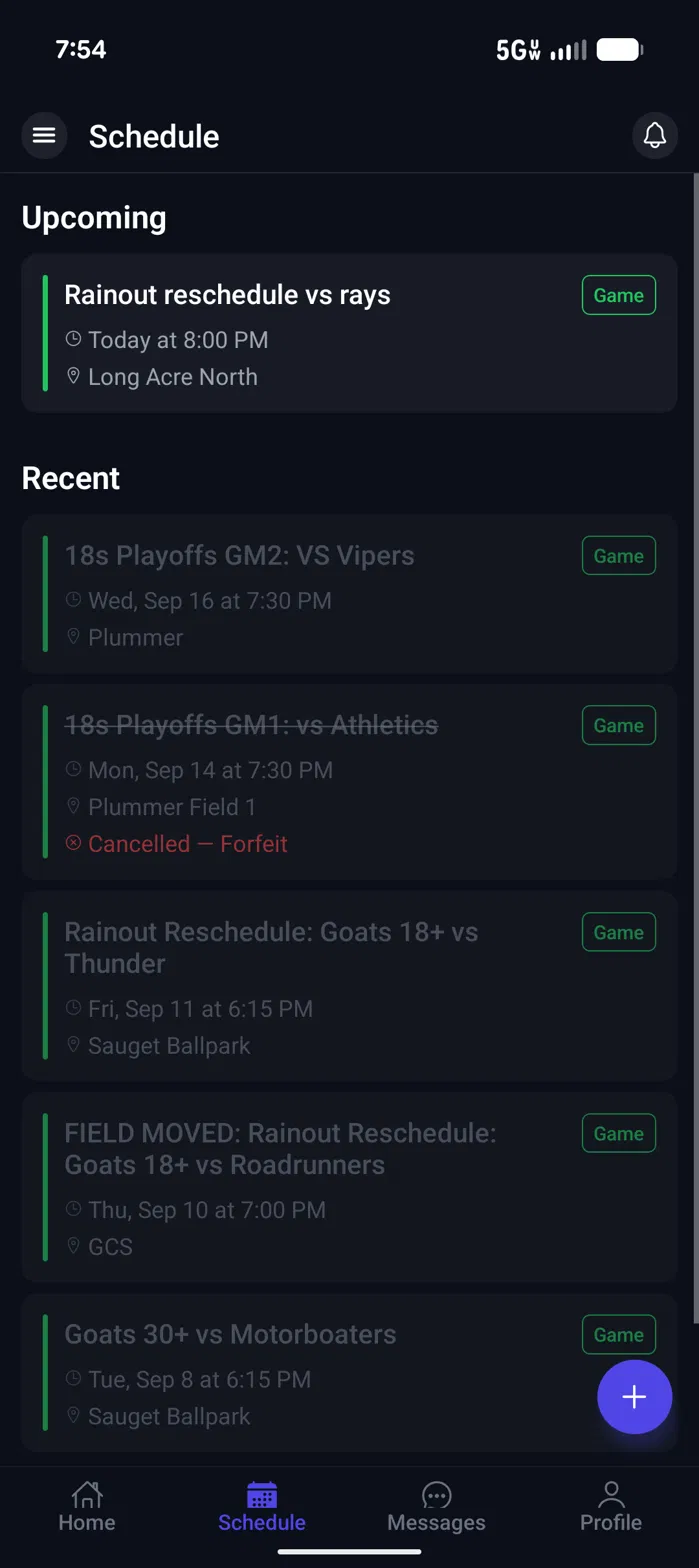
Schedule
The whole season in your pocket
What's next is at the top and what already happened is underneath. A cancelled game stays on the list, crossed out, with the reason.
- Time and field on every game.
- Cancelled games say why.
- Add an event from the same screen.
Team chat
One place for the team to talk
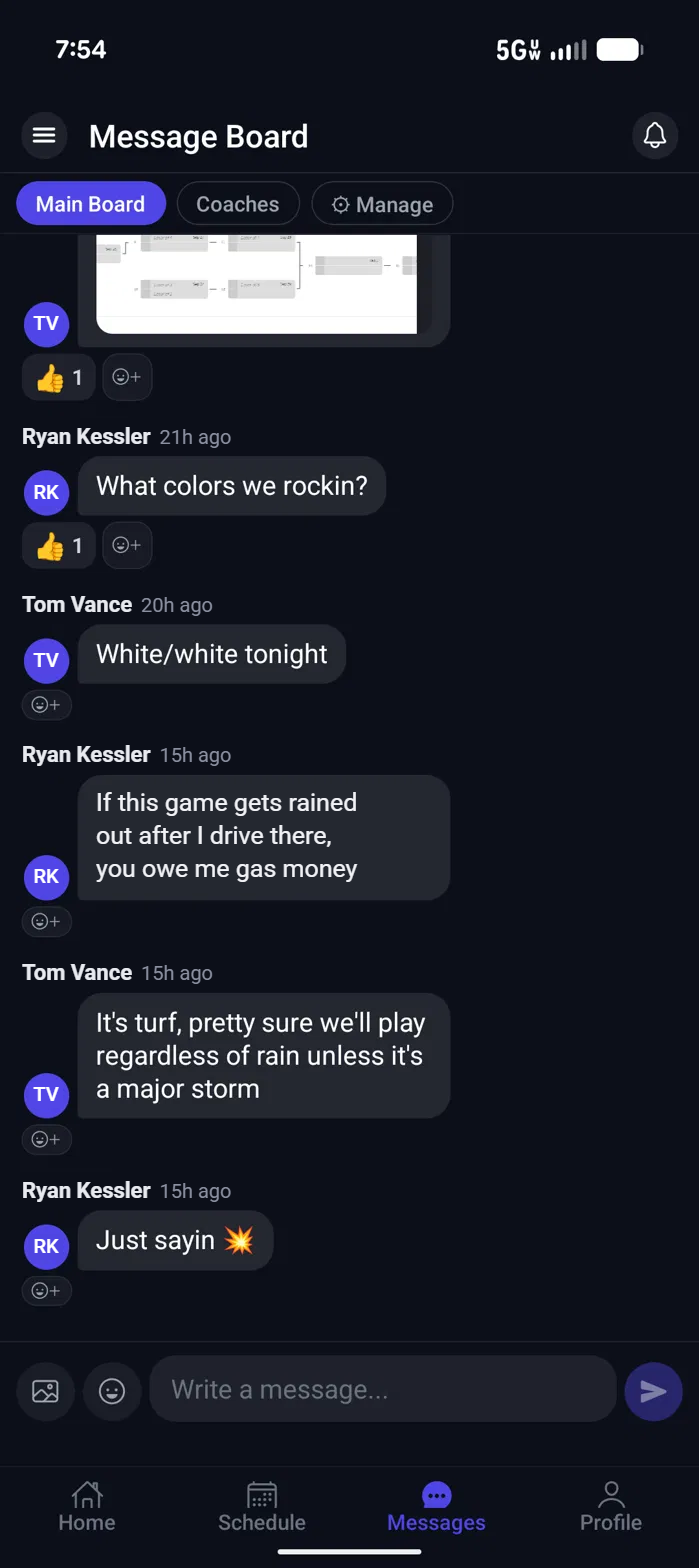
The message board keeps the team conversation out of everyone's personal group texts, with a separate board for coaches.
- Main board for the team, Coaches board for staff.
- Reactions on every message.
- Photos show up right in the thread.
Team chat
More than text
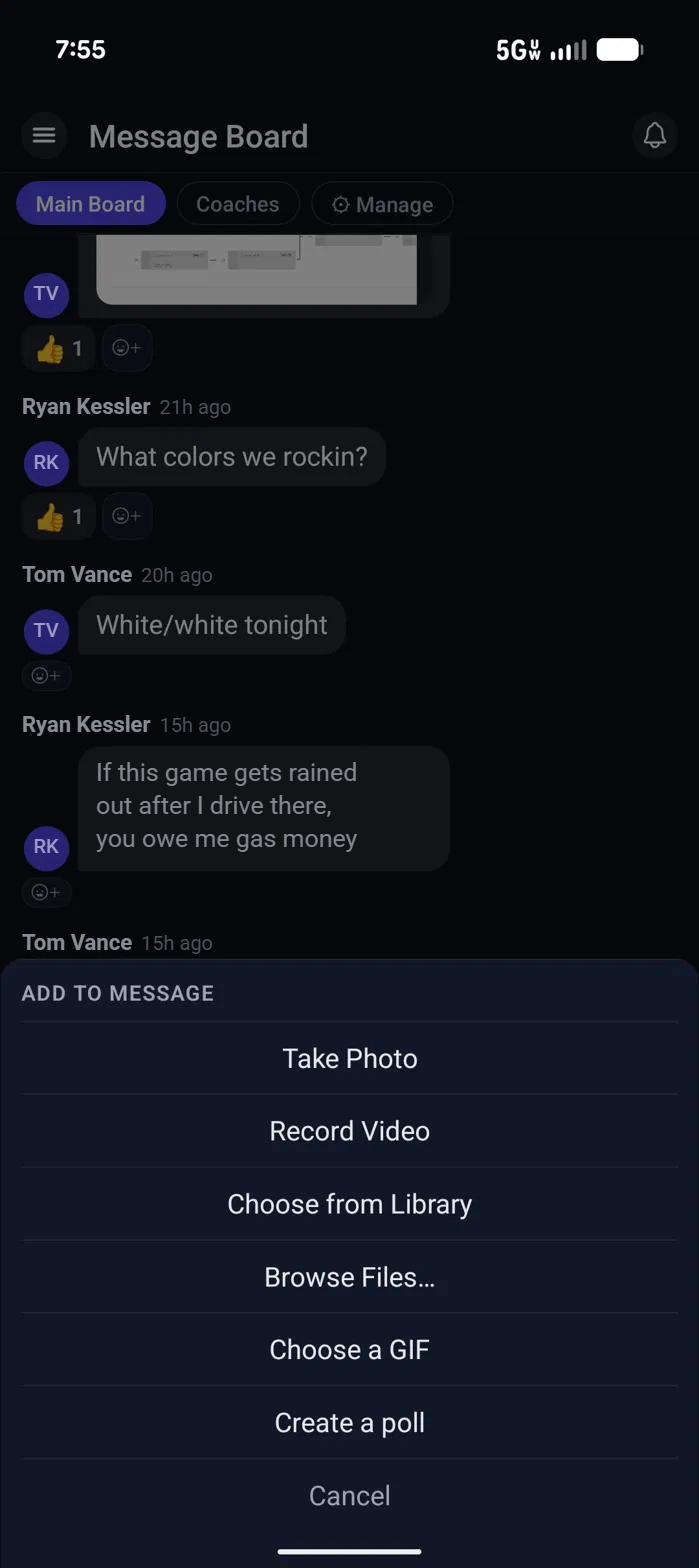
Post a photo from the game, a video, a file, a GIF, or a quick poll to settle what colour everyone is wearing.
- Take a photo or record a video without leaving the app.
- Share files from your phone.
- Create a poll in the thread.
Everything else
The rest of the job is one menu away
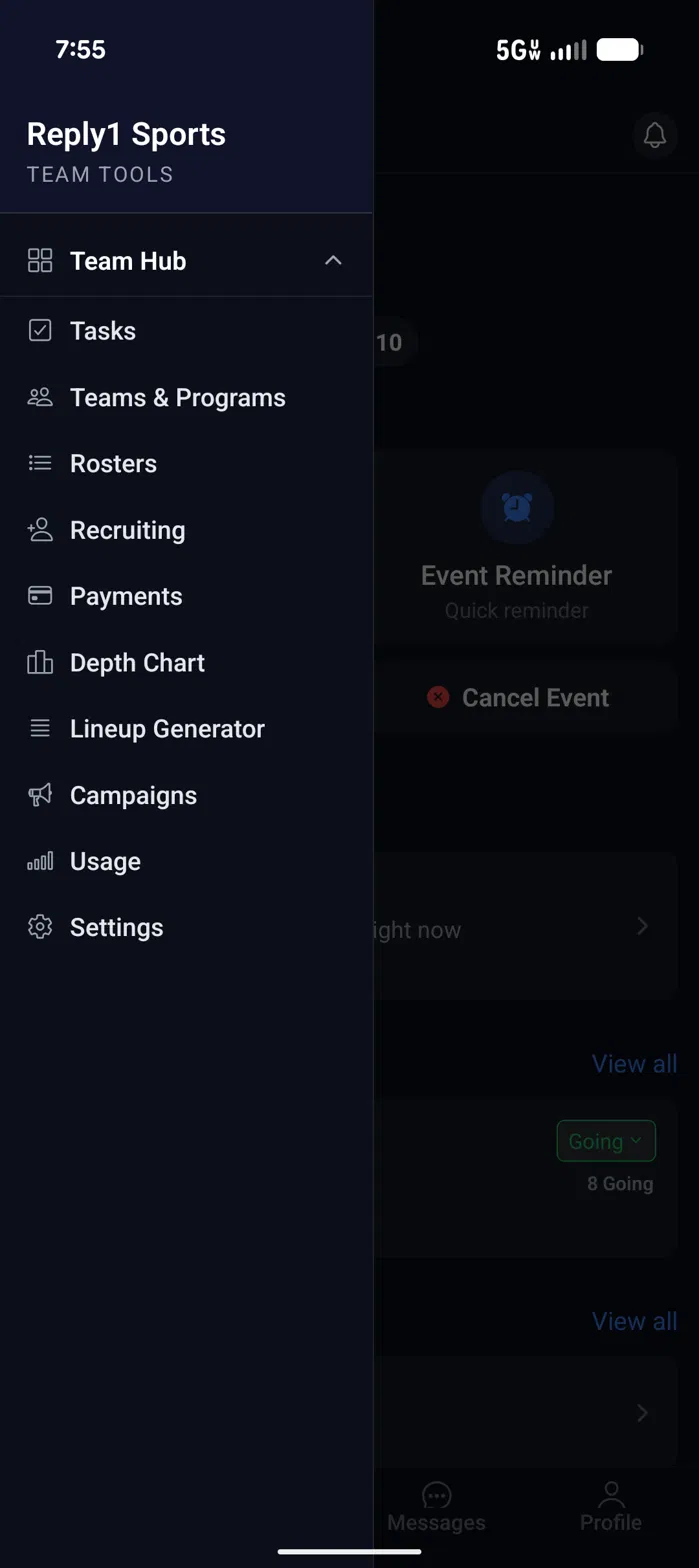
Rosters, payments, lineups and reminder campaigns all live in the same app, so the coach is not switching between five tools.
- Rosters, recruiting and a depth chart.
- Payments and a lineup generator.
- Tasks that tell you what needs you next.
These are real screens from Reply1 on the web and in the app for iPhone and Android. People's names have been changed, and the league's records, counts and dollar amounts are example data.
Try it with your team
14-day free trial, no credit card required. Running a league? See the league tour.